Entule
A macOS app that saves the current work context as a session checkpoint and reopens the apps, files, folders, and links later. Save captures a session, Inspect reviews it, Resume restores it, and Presets keep recurring launch setups ready.
Role and process
Role: macOS app builder and SwiftUI engineer
Challenge: Switching between apps, files, folders, and links makes it easy to lose work context.
- Separate capture, review, and restore so the flow stays trustworthy.
- Keep presets reusable instead of one-off restores.
Platform: macOS, native SwiftUI · Storage: Local, no account · Actions: Save, Inspect, Resume, Presets
Tools: Swift, SwiftUI, AppKit, Local-first storage, Window management
Save the session
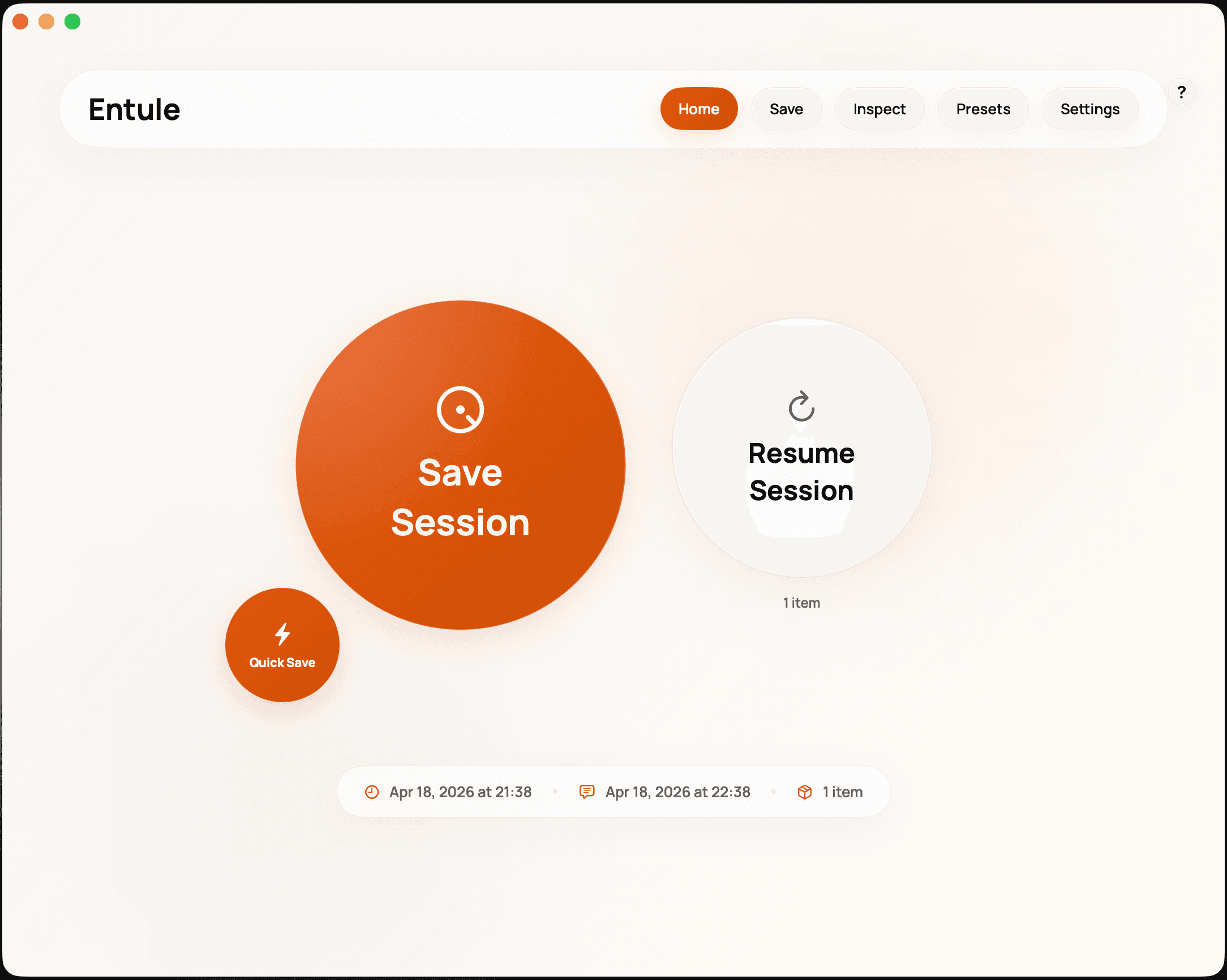
One action captures open apps, files, folders, and links as a checkpoint. The interface keeps the action large and the state legible: what was saved, when, and how many items came with it.
Inspect before restore
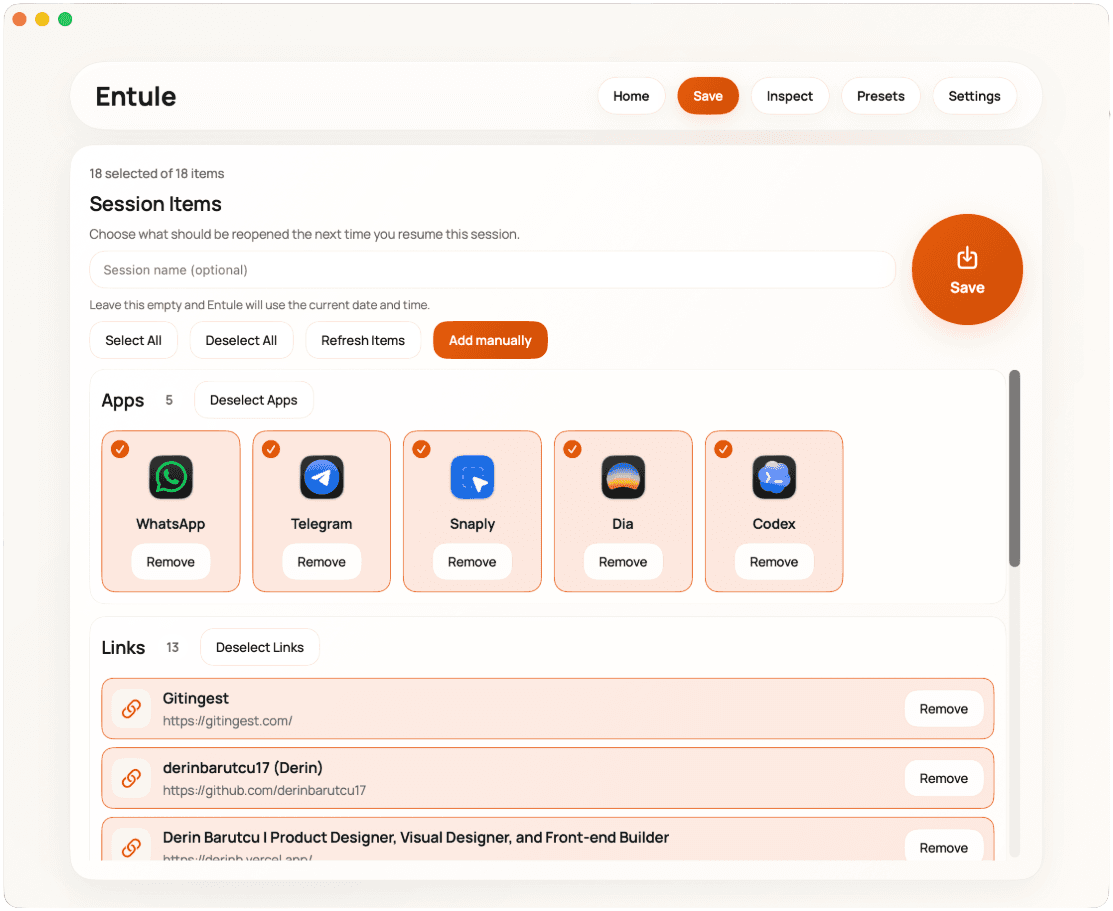
A checkpoint is only useful if you trust it. Inspect lists every captured item before anything reopens, including the real app tiles and links inside the session.
Presets for repeated work
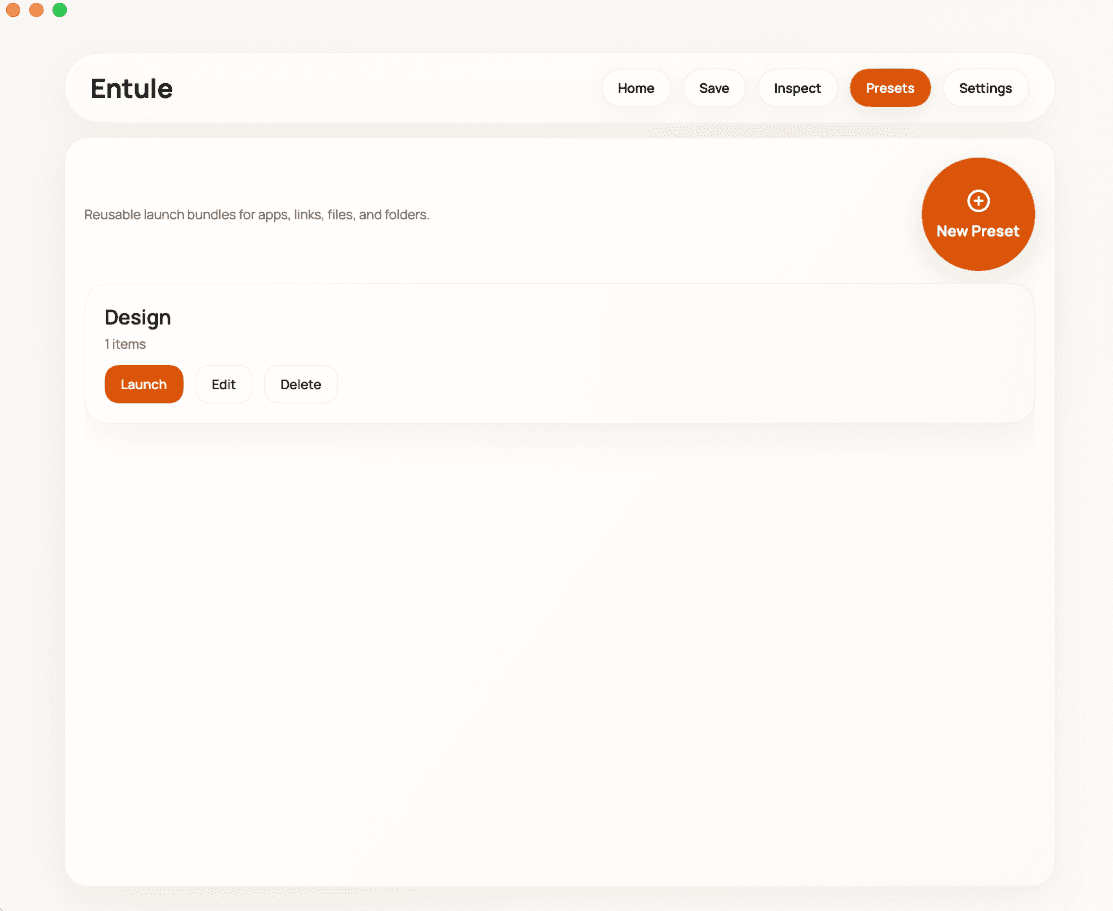
Recurring workflows become reusable launch bundles. Presets keep the same review step, so speed does not remove control.
Native, local, and deliberately small
The app is built with SwiftUI and AppKit and stores session state on the Mac. It does not need an account or a sync service. Next steps are tighter preset editing and clearer restore feedback for larger sessions.